Pulse & Plate

Best Fitness Trackers for Seniors

Screen size and brightness, how often it needs charging, which phone it demands and whether a fall alert exists - four specs that decide this purchase and almost never get ranked.

By Stephen V.Last updated How we research

For most older adults the best buy is the Samsung Galaxy Fit3: a 1.6-inch AMOLED you can read at arm’s length, a published 13 days per charge so the charging routine is fortnightly rather than nightly, and everything — sleep stages, snore detection, hourly stress, 100-plus exercise modes — free in Samsung Health with nothing behind a subscription. The catch is that it is Android-only. If remembering to charge a device is the real problem, the Withings ScanWatch 2 publishes 30 days and carries an FDA-cleared ECG app with AFib detection in something that looks like an ordinary watch. And if fall detection is the reason you are shopping, the Apple Watch SE is the only device here that publishes it — at the cost of an iPhone and an 18-hour battery.

That three-way split is the honest answer, and it is why this page exists as something other than a shorter version of our main tracker roundup. The same logic drives our fit-first roundup for smaller wrists, where the deciding spec is the published wrist range rather than the screen. The specifications that decide a tracker for an older buyer are not the ones reviews rank on. They are: can you read the screen, how often does it need a charger, does it need a phone you do not own, and does it do anything if you fall over. Two of those four pull in opposite directions, because the big bright screen that solves the first problem is the thing that creates the second.

One thing to be clear about before any of it: none of these is a medical alert device. Apple’s Fall Detection is a feature on a watch, not a monitored service with an operator on the end of it. If what the household actually needs is someone to answer when a button is pressed, that is a different product category and no fitness tracker substitutes for it. What a tracker is genuinely good at is the other thing — counting the activity the CDC recommends for adults 65 and over, including the balance and strength work that specifically matters at that age.

Every figure below is the maker’s own published specification, read on the dated visit linked under each write-up. Where a maker publishes nothing — and on fall detection, most of them publish nothing — the table says so rather than guessing. We own none of these devices and have tested none of them. Here is exactly what we do instead.

How this is funded: we earn a commission if you buy through our links, at no extra cost to you. It never changes which product we recommend, and we’ll tell you when we’d skip one. Full disclosure.

Picks at a glance

Ranked on published specs, footprint and buyer fit. Select a row to jump to the full write-up. We have not tested these ourselves — here is exactly what we do instead.

#ProductBest forPrice
1
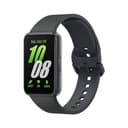
Samsung Galaxy Fit3

Samsung Galaxy Fit3

A big-screen band with close to a fortnight of battery and nothing behind a paywall — as long as you carry an Android phone, because it will not pair with an iPhone.

Best overall for most older adults
$53.99 · View on Amazon

Price as of October 21, 2026. #ad How we’re funded

2
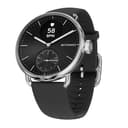
Withings ScanWatch 2

Withings ScanWatch 2

A classic-looking hybrid watch with medical-grade ECG, AFib detection and a month of battery — you trade a full smart display for elegance.

Best if charging is the problem
$369.95 · View on Amazon

Price as of October 21, 2026. #ad How we’re funded

3
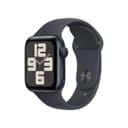
Apple Watch SE (2nd gen)

Apple Watch SE (2nd gen)

The most affordable way into watchOS with real built-in GPS and crash detection, but it drops ECG and blood oxygen and lasts only about a day.

Best for fall and crash detection
$244.59 · View on Amazon

Price as of October 21, 2026. #ad How we’re funded

4
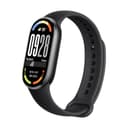
Xiaomi Smart Band 10

Xiaomi Smart Band 10

Three weeks of battery and a genuinely bright AMOLED for the price of a cheap pair of headphones — as long as you can live with Xiaomi's app and no onboard GPS.

Biggest, brightest screen for the least money
$54.99 · View on Amazon

Price as of October 21, 2026. #ad How we’re funded

5
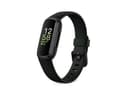
Fitbit Inspire 3

Fitbit Inspire 3

A no-frills everyday tracker with excellent battery life, but it leans on your phone for GPS and on Premium for the best data.

Simplest and lightest to wear

The four specs that actually decide this

Read rows one and two together, because they fight each other: the two devices with the best screens are not the two with the best battery, and the one with a month of battery barely has a display at all. Row four is the row most buyers come here for, and only one device publishes it.

SpecSamsung Galaxy Fit3Withings ScanWatch 2Apple Watch SE (2nd gen)Xiaomi Smart Band 10Fitbit Inspire 3
Published display1.6 in AMOLED, 256 x 402Analogue hands + grayscale PMOLED sub-dialRetina OLED (the SE 3 adds an always-on screen)1.72 in AMOLED, 1,500 nits high-brightness (Xiaomi)Colour AMOLED touchscreen
Published battery lifeUp to 13 days (208 mAh)Up to 30 daysUp to 18 hoursUp to 21 days (Xiaomi)Up to 10 days
Charging rhythm that impliesFortnightlyMonthlyNightlyEvery three weeksWeekly
Fall or crash detectionNot publishedNot publishedCrash Detection and Fall DetectionNot publishedNot published
ECG / irregular rhythmNo ECGFDA-cleared ECG app with AFib detection (US)Not available on the SENoNo
Phone it requiresAndroid only - the listing states it will not pair with an iPhoneWithings app; the App Store listing states iOS 18.0 or laterRequires an iPhone - no standalone useXiaomi Fit (metric units only)Android 11+ or iOS 16.4+ (Google Health setup requirements)
SubscriptionNone - Samsung Health is freeNone needed to read your own dataNoneNoneGoogle Health Premium for the deeper insights
Blood oxygenSpO2 spot check and overnightOn-demand SpO2 (30-second reading)No SpO2 sensor on the SENot published on the listingSpO2 monitoring
Water rating5 ATM + IP68Not published on the listing50 m swimproof (WR50)Not published50 m (5 ATM)

Every figure above is one the maker publishes, read on the dated visit linked under each write-up below. “Not published” means the maker does not state it — we do not fill the gap with an estimate.

The picks in full

#1Best overall for most older adults

Samsung Galaxy Fit3

A big-screen band with close to a fortnight of battery and nothing behind a paywall — as long as you carry an Android phone, because it will not pair with an iPhone.

Strengths

  • Up to 13-day battery on a budget
  • Large 1.6-inch AMOLED display
  • Sleep stages, snore detection, hourly stress and 100+ exercise modes, all free in Samsung Health

Trade-offs

  • No built-in GPS — needs your phone for routes
  • Android only — it will not pair with an iPhone
  • No ECG, and blood oxygen is a spot or overnight reading rather than continuous
Battery lifeUp to 13 days (208 mAh)
GPSConnected GPS (uses phone)
Heart rate24/7 optical HR
Blood oxygenSpO2 spot check and overnight
Display1.6 in AMOLED touchscreen (256 x 402)
Water resistance5 ATM, IP68
SubscriptionNone — Samsung Health is free

Specs read from the product listing, on August 21, 2026. “Not published” means the maker does not state that figure.

#2Best if charging is the problem

Withings ScanWatch 2

A classic-looking hybrid watch with medical-grade ECG, AFib detection and a month of battery — you trade a full smart display for elegance.

Strengths

  • Up to 30-day battery life
  • FDA-cleared ECG with AFib detection plus on-demand SpO2
  • Timeless analog design with no subscription needed

Trade-offs

  • Connected GPS only — needs your phone for mapped routes
  • Tiny sub-dial display with limited smart features
Battery lifeUp to 30 days
Heart rate / ECGHR + FDA-cleared ECG app with AFib detection (US)
Blood oxygenOn-demand SpO2 (30-second reading)
Body temperatureTempTech24/7 skin-temperature sensor
DisplayAnalog hands + grayscale PMOLED sub-dial
GPS / subscriptionConnected GPS (via phone); no subscription

Worth knowing. Hybrid analog watch with real hands and a small grayscale OLED sub-dial.

Specs read from the product listing, on October 20, 2026. “Not published” means the maker does not state that figure.

#3Best for fall and crash detection

Apple Watch SE (2nd gen)

The most affordable way into watchOS with real built-in GPS and crash detection, but it drops ECG and blood oxygen and lasts only about a day.

Strengths

  • Full watchOS apps with built-in GPS
  • Crash Detection and Fall Detection safety features
  • Fast, familiar performance in the Apple ecosystem

Trade-offs

  • No ECG or blood oxygen sensor
  • About 18-hour battery and iPhone-only
Battery lifeUp to 18 hours
GPSBuilt-in GPS
Heart rateOptical HR + high/low HR alerts
ECG / SpO2Not available on SE
SafetyCrash Detection + Fall Detection
RequirementsRequires iPhone; 50m swimproof (WR50)

Specs read from the product listing, on July 19, 2026. “Not published” means the maker does not state that figure.

#4Biggest, brightest screen for the least money

Xiaomi Smart Band 10

Three weeks of battery and a genuinely bright AMOLED for the price of a cheap pair of headphones — as long as you can live with Xiaomi's app and no onboard GPS.

Strengths

  • Xiaomi states up to 21 days per charge, and about an hour to recharge fully
  • 1.72-inch AMOLED with 2 mm bezels, quoted at 1,500 nits in high-brightness mode
  • Electronic compass for swim direction, plus staged sleep analysis, at a budget price

Trade-offs

  • No built-in GPS on the listing — Xiaomi's GPS model in this family is the separate Band 10 Pro
  • The Xiaomi Fit app is metric-only; showing pounds and feet means bridging it through Google Fit
Battery lifeUp to 21 days (Xiaomi); about 1 hr to full charge
GPSNot published — the separate Band 10 Pro is the GPS model
Heart rateHeart rate monitoring (listed)
SleepSleep stages and sleep-quality analysis
Display1.72 in AMOLED, 1,500 nits high-brightness (Xiaomi)
SoftwareXiaomi HyperOS 2; Xiaomi Fit app (metric units only)
Water resistanceNot published

Specs read from the product listing, on September 22, 2026. “Not published” means the maker does not state that figure.

#5Simplest and lightest to wear

Fitbit Inspire 3

A no-frills everyday tracker with excellent battery life, but it leans on your phone for GPS and on Premium for the best data.

Strengths

  • Up to 10-day battery life
  • Color AMOLED touchscreen and SpO2 at a low price
  • Lightweight and comfortable for all-day and overnight wear

Trade-offs

  • No built-in GPS — needs your phone for mapped routes
  • Best sleep and health insights require Fitbit Premium
Battery lifeUp to 10 days
GPSConnected GPS (uses phone)
Heart rate24/7 optical HR
Blood oxygenSpO2 monitoring
Water resistance50m (5 ATM)
SubscriptionFitbit Premium for advanced insights (6-mo trial included)

Specs read from the product listing, on July 19, 2026. “Not published” means the maker does not state that figure.

How to choose a tracker for an older adult

1. Start with the screen, and be honest about eyesight

A tracker nobody can read is a bracelet. Two numbers matter and only one of them gets printed on a box: physical size and brightness. The Xiaomi Band 10 wins both on paper — a 1.72-inch AMOLED that Xiaomi quotes at 1,500 nits in high-brightness mode, which is the figure that decides whether a screen is legible outdoors in daylight. The Galaxy Fit3 is a close second at 1.6 inches, and in practice both are far easier to read than the narrow bands that dominated this category five years ago.

The ScanWatch 2 is the deliberate opposite, and it is important to understand what you are choosing. Its display is a small grayscale sub-dial on an otherwise analogue watch face. For someone who wants to glance at a watch and see the time — with real hands, like every watch they have owned — that is the feature rather than the flaw. For someone with reduced near vision who wants to read a step count without their glasses, it is the wrong device, and no amount of battery makes up for it.

One practical note that applies to all of them: nearly every tracker lets you change the watch face, and most ship on a busy default. Five minutes setting a high-contrast face with large digits does more for legibility than a jump between any two devices on this page.

2. Decide how often someone will realistically charge it

This is the single commonest reason a tracker ends up in a drawer, and it is entirely predictable from the spec sheet. The spread here is a factor of forty: 18 hours on the Apple Watch SE against 30 days on the ScanWatch 2.

A nightly-charge device asks the wearer to build a new daily habit, and it cannot be on the wrist at night — which quietly removes sleep tracking, one of the more genuinely useful things these devices do. A fortnightly or monthly device asks for almost nothing. If you are buying this for someone else, assume the charging habit will not form, and pick accordingly. We rank the whole field on this one axis in best fitness trackers with long battery life.

3. Check which phone it demands before anything else

Three of the five here are effectively phone-locked, and getting this wrong means a returned parcel. The Apple Watch SE requires an iPhone — it has no standalone mode at all. The Galaxy Fit3 is Android-only; the listing states it will not pair with an iPhone, and Samsung’s own support site confirms the same pattern across its newer watches. The ScanWatch 2 needs the Withings app, whose App Store listing states iOS 18.0 or later — a floor an older iPhone may not meet.

The two that travel across platforms are the Fitbit Inspire 3, where Google publishes a clear requirement (“An iPhone with iOS 16.4 or higher” or “An Android phone with Android 11 or higher”), and the Xiaomi Band 10, whose listing publishes no floor at all. Our iPhone and Android roundups go through the published compatibility device by device.

And a point worth raising plainly: every device here needs a smartphone to set up. There is no tracker on this page that a person with no phone at all can use, and we are not going to pretend otherwise. If the household has no smartphone, the honest options are a device set up on a family member’s phone that then mostly runs on its own, or a simple pedometer.

4. Separate the health sensors you want from the ones being sold to you

Two features on this page are worth real money at this age, and both are on the same device. The ScanWatch 2 carries an FDA-cleared ECG app with AFib detection plus on-demand SpO2 and a skin-temperature sensor. Atrial fibrillation becomes more common with age and is often intermittent, which is exactly the pattern a wrist device can catch and a single clinic visit can miss. The FDA granted a De Novo classification for the first over-the-counter irregular-rhythm notification feature precisely because that screening use has value.

It is screening, not diagnosis. A notification is a reason to make an appointment, not a result, and the only correct response to a repeated alert is a doctor. Apple’s SE line deliberately omits ECG and blood oxygen altogether, which is worth knowing if you assumed that the Apple Watch with Fall Detection also had the heart features: on the SE, it does not.

Blood pressure is the one people ask about most and the one nobody on this page measures. We cover why in do fitness trackers measure blood pressure, and the short version is that a cuff remains the answer.

5. Use it for the thing it is unambiguously good at

The CDC’s guidance for adults 65 and over asks for aerobic activity plus muscle-strengthening work, and — specifically for this age group — balance activity. A tracker is genuinely useful for the first of those because it makes the invisible visible: a daily step count, a weekly minutes total, and the plain fact of whether this week looked like last week.

What it will not do is the strength and balance half, and that is the half that matters most for staying steady on your feet. A set of resistance bands and ten minutes of standing work costs a fraction of any device here. Our fitness equipment for seniors guide covers the equipment side, and if low-impact cardio is the goal, so does best rowing machine for seniors.

Who should buy which

Buy the Galaxy Fit3 if there is an Android phone in the house and you want the best balance of readable screen, fortnightly charging and free data. Buy the ScanWatch 2 if the wearer wants a proper watch, would rather not think about a charger, and the ECG with AFib detection is the point. Buy the Apple Watch SE if Fall Detection is why you are shopping and there is an iPhone to pair it with — accepting the nightly charge and the missing heart sensors. Buy the Xiaomi Band 10 if the brief is the biggest, brightest screen for the least money and a metric-only app is tolerable. Buy the Inspire 3 if the goal is the simplest, lightest thing that works on either phone platform.

Nothing on this page is medical advice and none of these devices is a medical alert service. Any symptom, or any repeated alert from a device, belongs with a doctor.
Wellness guidance, not medical advice. Pulse & Plate is written by a fitness enthusiast, not a doctor. Wearable heart-rate, SpO2, ECG and sleep readings are for general wellness, not diagnosis. For a heart concern, a symptom, or before starting a new exercise program, talk to a qualified professional.

Frequently asked questions

What is the best fitness tracker for seniors?

For most older adults, the Samsung Galaxy Fit3: a 1.6-inch AMOLED that is easy to read, a published 13 days per charge so charging is fortnightly rather than nightly, and nothing behind a subscription in Samsung Health. It is Android-only. If remembering to charge is the real problem, the Withings ScanWatch 2 publishes 30 days and adds an FDA-cleared ECG app with AFib detection. If fall detection is the reason you are shopping, the Apple Watch SE is the only device here that publishes it.

Which fitness trackers have fall detection?

Of the devices here, only the Apple Watch SE line, which publishes Crash Detection and Fall Detection. None of the other four publishes a fall-detection feature, so the table says 'Not published' rather than guessing. Be clear about what the feature is, though: it is a function on a watch, not a monitored medical alert service with an operator answering. If that is what the household needs, a medical alert device is a different product and no tracker replaces it.

What is the easiest fitness tracker for an older person to use?

The Fitbit Inspire 3 is the simplest to wear and operate - lightweight, a colour AMOLED touchscreen, about 10 days per charge, and it works on both iPhone and Android, which the Galaxy Fit3 and the Apple Watch SE do not. If reading the screen is the difficulty rather than operating it, the Xiaomi Band 10's 1.72-inch display at a quoted 1,500 nits is the most legible panel on this page. Whichever you pick, spend five minutes setting a high-contrast watch face with large digits.

Can a fitness tracker detect atrial fibrillation?

Some can screen for it. The Withings ScanWatch 2 carries an FDA-cleared ECG app with AFib detection, and the FDA granted a De Novo classification for the first over-the-counter irregular-rhythm notification feature - so the screening use is recognised. It is screening and not diagnosis: a notification is a reason to make an appointment, not a result. Note that Apple's SE models deliberately omit ECG and blood oxygen entirely.

Do fitness trackers work without a smartphone?

Not really, and it is worth saying plainly. Every device on this page needs a phone for setup and for the app where the data lives - the Apple Watch SE has no standalone mode at all, and the Galaxy Fit3 will not pair with an iPhone. The workable approach, if the wearer has no smartphone, is to have a family member set the device up on their phone, after which it will track and display the basics on its own. If no phone is available at all, a simple pedometer is the honest answer.

How often will an older adult need to charge a fitness tracker?

Anywhere from nightly to monthly, and it is entirely predictable from the spec sheet - the spread on this page is a factor of forty. Apple publishes 18 hours for the Watch SE; Withings publishes 30 days for the ScanWatch 2, with Xiaomi at 21 days, Samsung at 13 and Fitbit at 10 in between. A nightly-charge device also cannot be worn at night, which removes sleep tracking. If you are buying for someone else, assume the charging habit will not form.

Is a fitness tracker worth it for someone over 65?

For the aerobic half of the recommendation, yes - it makes activity visible, which is most of what behaviour change needs, and the CDC's guidance for adults 65 and over asks for aerobic activity, muscle strengthening and balance work. For the strength and balance half, which matters most for staying steady on your feet, a tracker does nothing. A set of resistance bands and ten minutes of standing work costs a fraction of any device here and addresses the part a wearable cannot.

Sources

Keep reading