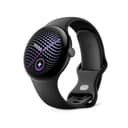
How to choose an Android tracker
1. Check your phone’s Android version first, not the band’s features
This is the step that turns a good purchase into a returned parcel, and it is invisible on the box. The floor is set by the companion app, not by the band, which is why it moves independently of the hardware. Google publishes the requirement for the app every Fitbit needs as “An Android phone with Android 11 or higher”. Google’s own phone-support page for the Pixel Watch publishes a floor per generation, rising from Android 8.0 for the original watch to Android 12.0 for the Pixel Watch 5 — so a watch two generations newer can demand a phone four versions newer.
Samsung publishes the same kind of requirement for its watches: its US product page for the Galaxy Watch8 states the watch “must be paired with a smartphone with Android 11.0 or above and minimum 1.5 gigabyte Memory”. Amazfit publishes the lowest floor we found anywhere: the Active Max support page asks only for “Android 7.0 or iOS 14.0, or later”. If you are on a budget phone or an older one you are keeping deliberately, that difference decides the shortlist before any spec sheet does.
Two of the five here publish no Android floor at all on the pages we could read — the Galaxy Fit3 and the Xiaomi Band 10. That is a real finding rather than a gap in our research, and the practical move is the same in both cases: check the Play Store listing for Samsung Health or Xiaomi Fit on your own phone, because the Play Store will tell you whether the app is compatible with the device you are holding.
2. Decide whether Android-only is a feature or a trap
The Galaxy Fit3 will not pair with an iPhone, and neither will the Pixel Watch 5 — Google states it in four words: “iPhones aren’t supported”. Samsung’s support site is similarly blunt about its watches, noting that while older Gear and Galaxy Watch Active models paired with certain iPhones, “newer models like the Galaxy Watch4 and later are not compatible with iOS”.
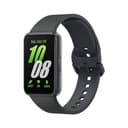
If you are staying on Android, that exclusivity costs you nothing and usually buys you something — the Fit3 is the cheapest 1.6-inch AMOLED on this page, and Samsung Health is free. If there is any chance you switch phones inside the device’s life, it is a write-off, and the Charge 6 or the vivosmart 5 are the picks that survive the move. One Samsung feature deserves a specific warning even on Android: on the Galaxy Watch line, the ECG app requires a paired Samsung Galaxy phone, not merely an Android one.
3. Understand what Android actually unlocks
Three makers document a feature that works on Android and not on iOS, and the reason is the platform rather than the band. Google states that Fitbit quick replies are “currently available on devices paired to an Android phone”, and that an iPhone-paired Fitbit can only respond to Google Health app notifications — “cheers, taunts, and friend requests” — not to texts or third-party chat apps. Garmin’s Venu 4 owner’s manual marks both the text-message reply and the message signature “available only for compatible Android phones”. Amazfit explains the cause outright: “Apple doesn’t allow third-party wearables to reply directly to notifications.”
So if the point of a wearable for you is not having to take the phone out, Android is the platform where that works, and a Fitbit or a Garmin is where it works best. It is worth weighing against the thing Android does not give you: nothing here reaches into Apple Health, which is the sync target that matters on the other side of the fence.
4. Then, and only then, buy on battery and GPS
With compatibility settled, the two specs that change daily life are days per charge and whether the device knows where it is without your phone. The spread here is enormous: a published 21 days on the Xiaomi Band 10 against 40 hours on the 45 mm Pixel Watch 5. That is not a small difference in convenience, it is a different relationship with a charger — and it is the whole subject of our long-battery-life roundup.
On GPS, only the Charge 6 and the Pixel Watch 5 have it built in. The Fit3, the vivosmart 5 and (on the listing we read) the Band 10 use connected GPS, which means your route is mapped by the phone in your pocket. For walking and gym work that is irrelevant. For running without a phone it is the whole purchase, and it is why the Charge 6 costs more than the Fit3.
Who should buy which
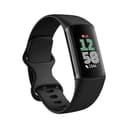
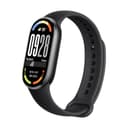
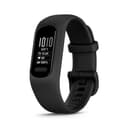
Buy the Charge 6 if you want one band that does everything and might not stay on Android forever. Buy the Galaxy Fit3 if you are a committed Samsung user who wants a big screen and a fortnight of battery for very little. Buy the Xiaomi Band 10 if battery life is the only spec you care about and you can live with a metric-only app. Buy the vivosmart 5 if the idea of a subscription on a thing you already own offends you — Garmin says all existing Connect features and data remain free, and our no-subscription roundup goes through which paywalls take what. Buy the Pixel Watch 5 if you have accepted that you want a watch, with the caveat that you are also accepting a charger by the bed.
None of these is a medical device, and nothing here is medical advice. The ECG apps on the Charge 6 and the Pixel Watch 5 are screening features that prompt a conversation with a doctor — they do not replace one.